Short description
Admin users can enable scheduled delivery of their data exports via email in the Delivery step in the Data Export configuration wizard.
Why does it matter
Adding in Delivery improves the user experience by
Allowing users to automatically receive and deliver reports to the right stakeholders
Reduces the need for users to go in to Kanpla to export the report
What’s new?
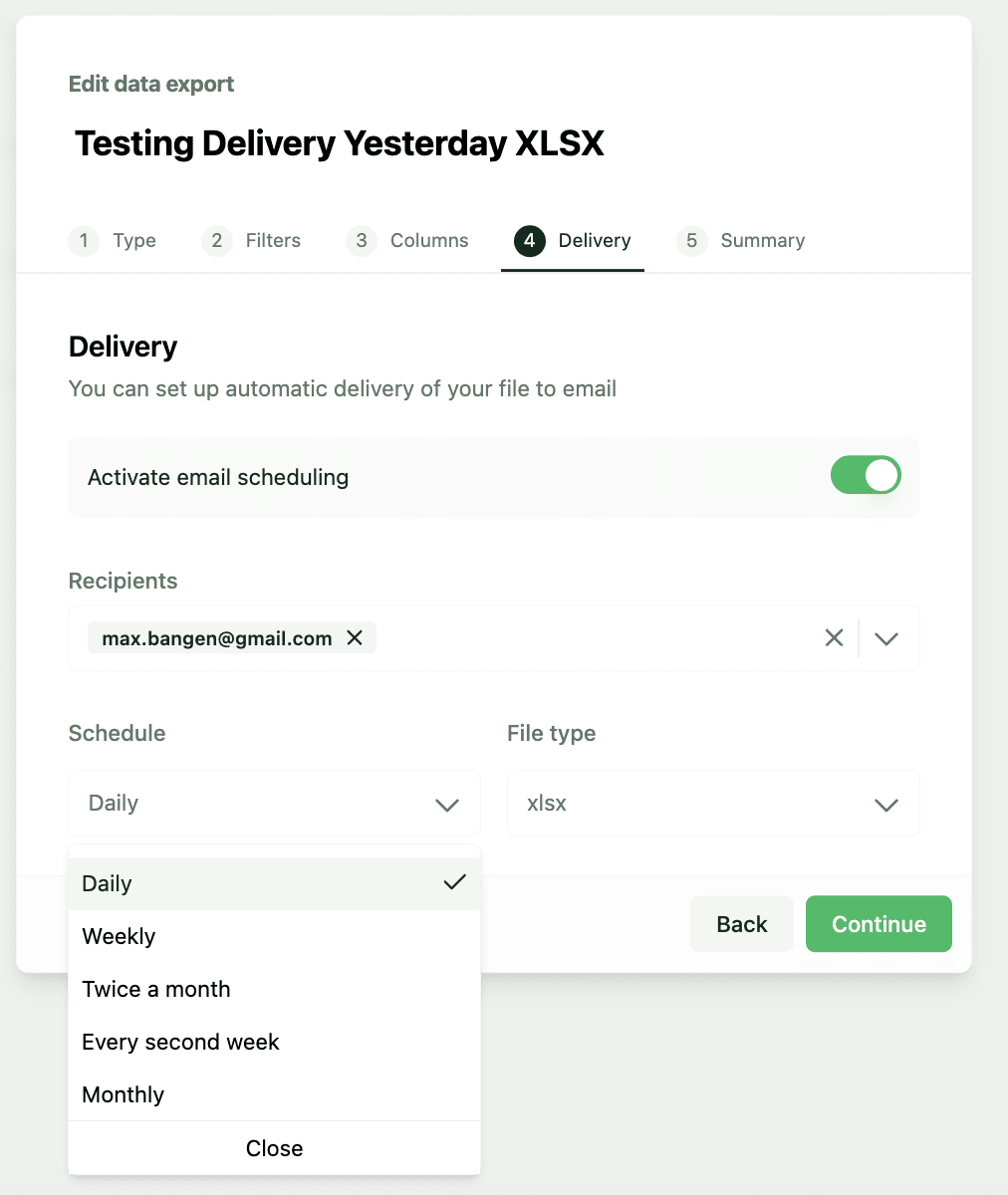
Users can find a new step Delivery when configuring their Data Export.
Configuiring the Delivery will send the file at midnight (12am) of the scheduled frequency. This is considering the timezone in which the export configuration was set up. I.e. if the user set up a new data export in New York, US (GMT-4), then the export will also be delivered at 12am New York time (GMT-4).
The file will include data based on the Filters and Columns configured.
Here users can
Activate the delivery of exports via
emailAdd emails for
Recipientthat should received the exportSet the
Scheduleto deliver reports on daily, weekly, twice a month, every second week and monthlyChoose the
File typeto be delivered as CSV or XLSX
How to use it?
Go to Data Export > Create a new export > Navigate to Columns > Go to Delivery and start entering the details for the automated delivery.
Once activated, the report will be sent every night at 12am (midnight).
Schedule frequency explained
Daily: Delivers the file dailyWeekly: Delivers the file every MondayTwice a month: Delivers the file on 1st and 15th every monthEvery second week: Delivers the file on Monday every second weekMonthly: Delivers the file 1st every month