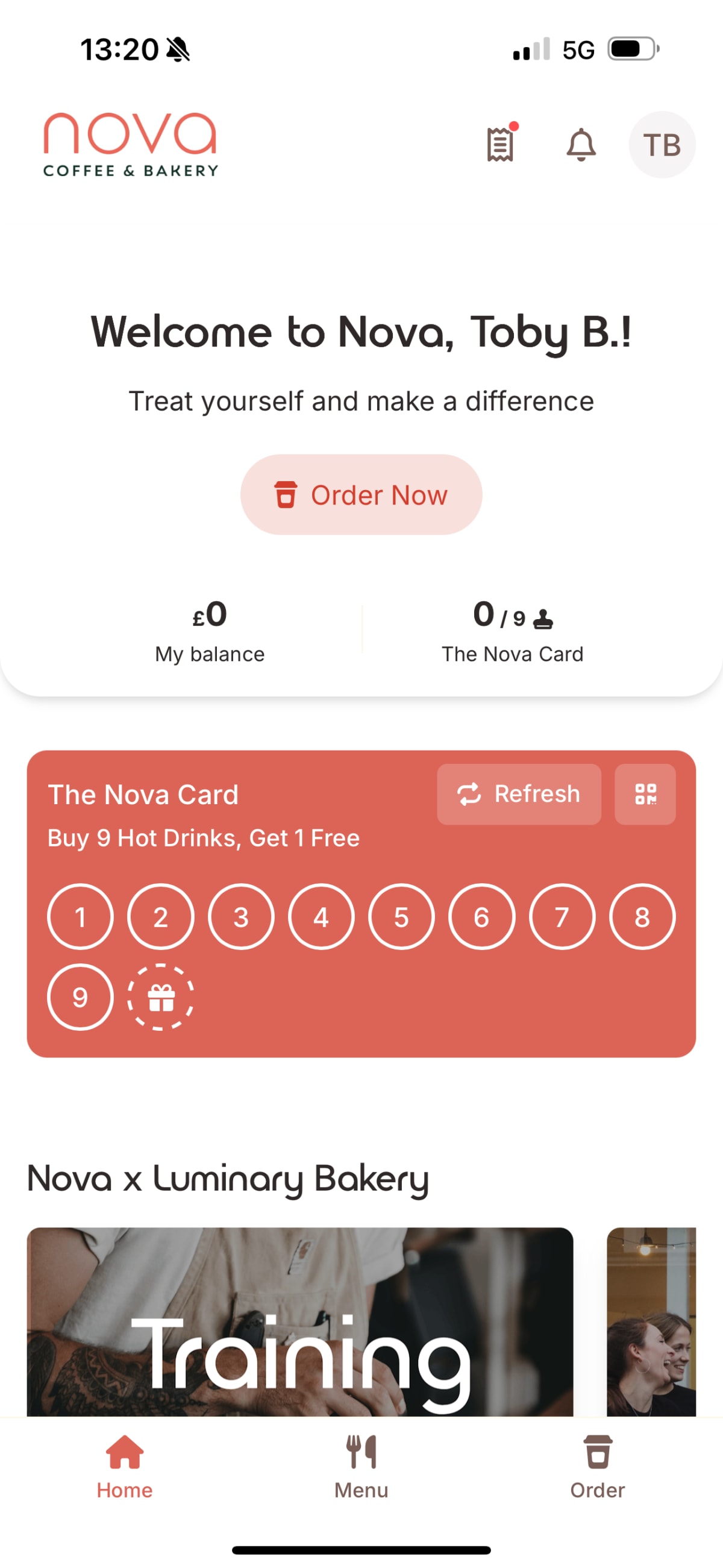
The End Result:
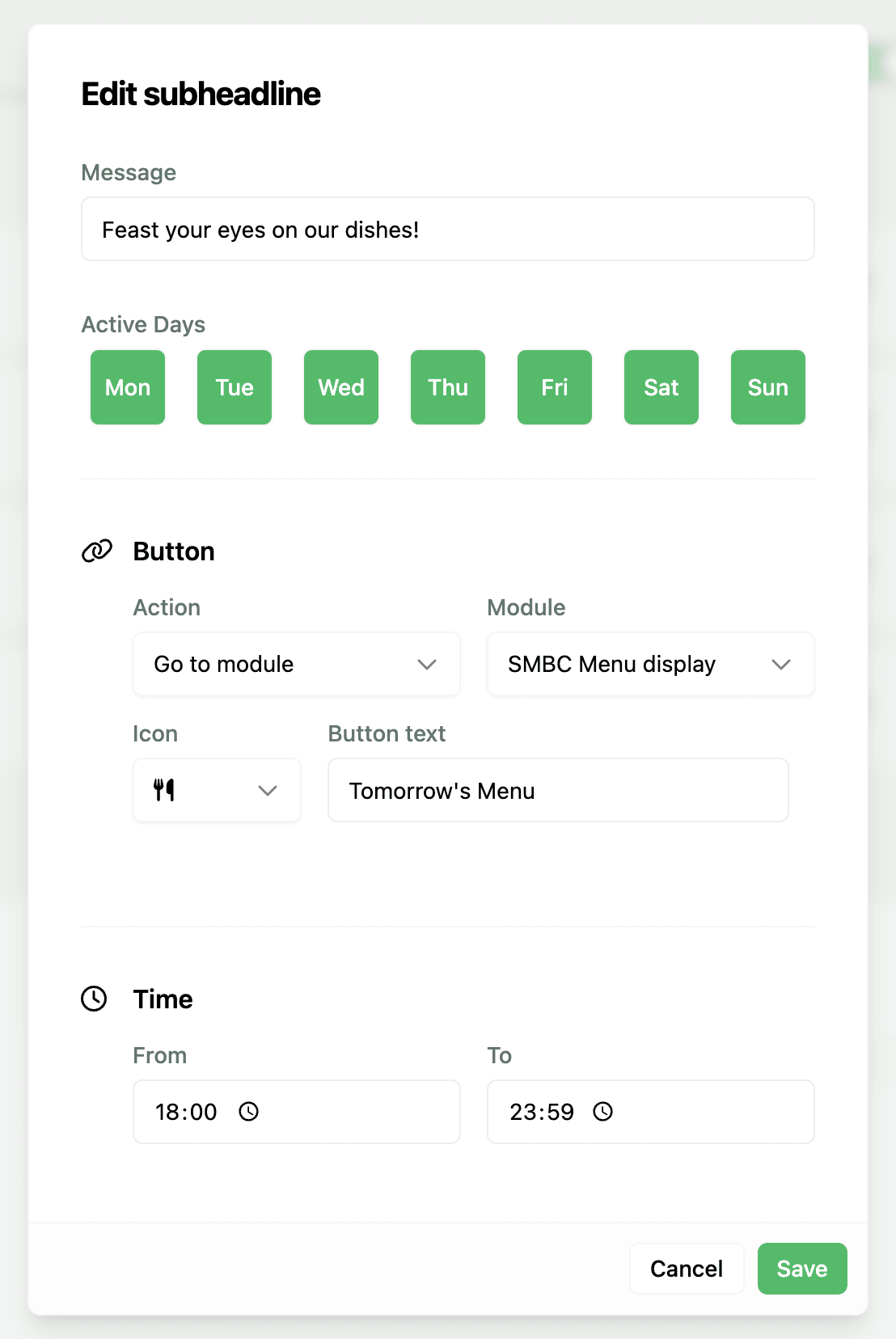
The Builder:
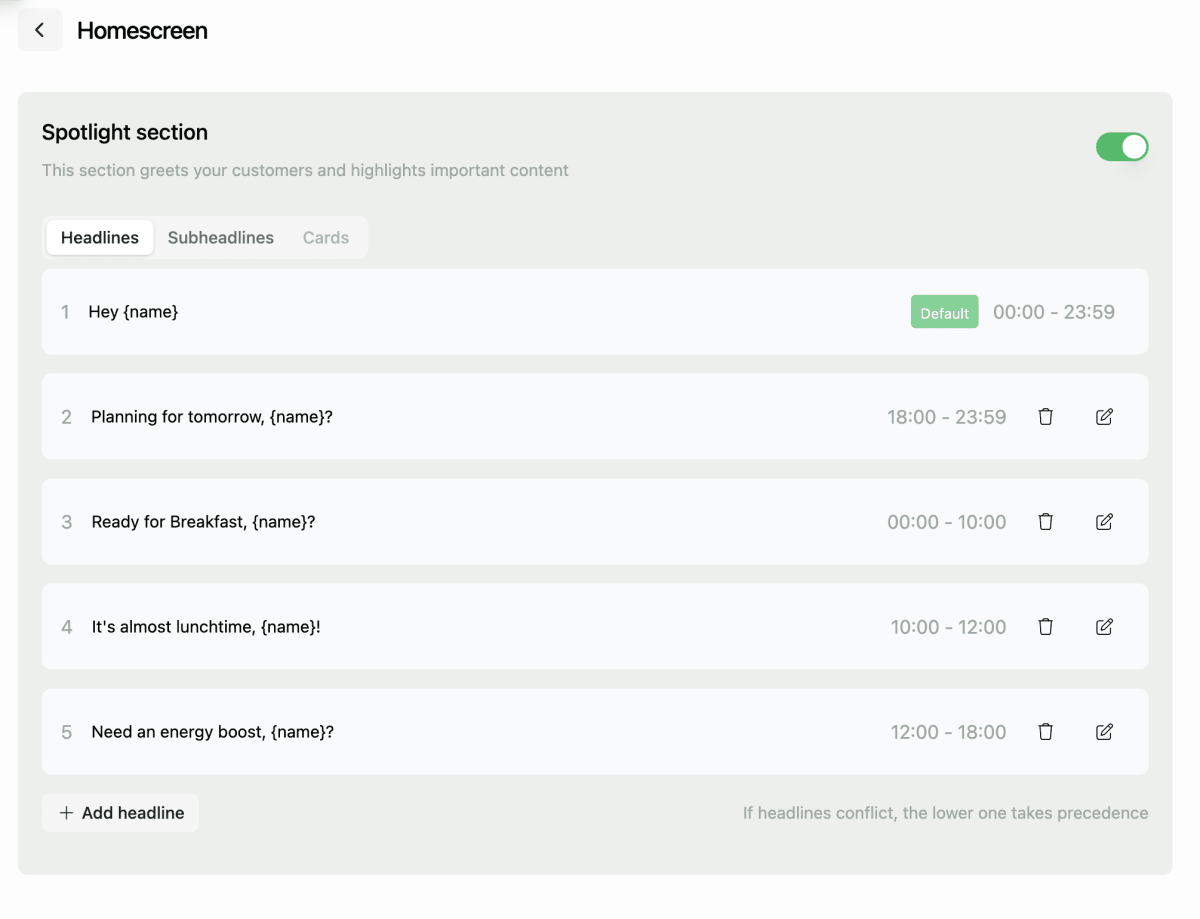
The Settings:
Tutorial:
Coming soon!
Description
Introducing the Spotlight Section, a new homescreen header featuing a time-sensitive personalised greeting, message and action with key stats display to increase convenience and personalition for users whilst driving traffic to target modules for caterers.
Why does it matter?
The home screen is Kanpla’s most widly deployed module, and the module which sees the most traffic. Despite this, caterers were restricted to fairly static and generic content, with the header often containing a simple image or standard banner. We have transformed this “premium” app realestate to provide a more engaging personalised welcome which drives users to the most relevant pruchases or actions for that time of day.
What’s new?
A new home screen header - you’ll see this at the top of any new home screen switched on by default with some default states pre-populated. It will also appear for any existing home screens, but will be switched off by defualt. If enabling it, ensure you remove any existing static banners as this will get pushed below it.
Headlines: A personalised title using the dynamic text field {name} e.g. Good to see you, {name}!
Sub-headlines: A message which sits below the headline e.g. Working from the office tomorrow?
Actions: A button featuring text and a choice of icon which redirects to a specific module e.g. Skip the queue
Key Stats: Loaylty card and balance displayed front and centre for easy access e.g. 6/9 stamps
Noteworthy comments
We will shortly be releasing Cards for the follwoing use cases which will slot into the Spotlight Section when certain contextual conditions are met:
Upcoming Orders: Showing your order for today and/or tomorrow
Order Status: A live tracker of click & collect order sttus
Lunch tickets: Show or scan your lunch ticket directly from the home screen