Short description
Admin users can set a default value for Empty Columns in Data Export that automatically populates the cells in the column.
Why does it matter
For reporting purposes, admin users require files to come in a certain format. This format may require that a custom column is added to the report and the cells for that column are set using a default value.
What’s new?
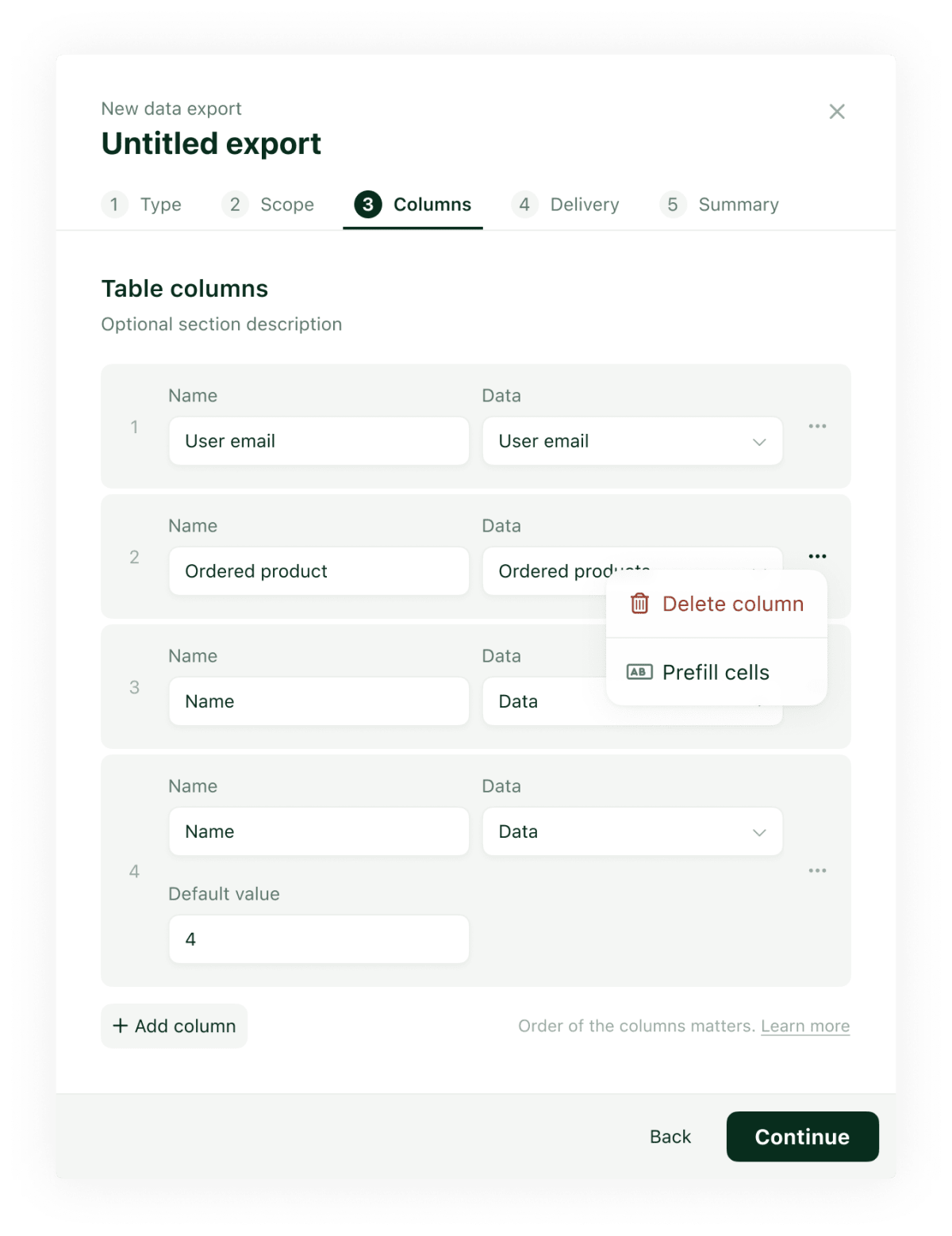
When adding an Empty Column , admin users can use the menu icon on the righ to Prefill Cells. Adding the option to prefill the cells, will add a input field to the column that the user can populate.
Note: If the user wants to add a default value for the cells, the name for the Empty Column is required.
How to use it?
Go to Data Export > Create a new export > Navigate to Columns > Add an Empty Column > Click Menu icon > Select Prefill Cells.